
When Should You Consider Moving from Accounting Software to ERP?

When businesses think about upgrading their accounting software, they often focus on revenue. As sales increase, inventory expands, and the company adds employees, it can seem natural to assume that reaching a particular revenue milestone means it’s time for a more advanced system.

But revenue alone doesn’t tell the whole story.

A business generating millions in annual sales with a relatively straightforward operation may have very different software requirements from a company with multiple warehouses, complex inventory, and employees across several departments who all rely on accurate, up-to-date information.

One of the clearest signs that your business may need more advanced software is how many people depend on your system to keep daily operations moving.

As more employees enter transactions, manage inventory, process orders, and make decisions based on shared information, your accounting software may need to do more than track financial activity. It may need to connect the entire business.

More Employees Mean More Coordination

In a small business, communication can happen naturally. Someone in sales checks with the warehouse about inventory availability. A purchasing employee knows which items need to be reordered. Accounting can quickly confirm whether a customer has an outstanding balance.

When the team is small, employees can often fill information gaps through conversations and personal knowledge.

But as the business grows, informal communication becomes harder to maintain.

Sales may need to know whether an order can be fulfilled. Purchasing needs accurate inventory information to avoid unnecessary orders. Warehouse employees need to know which items are committed to customers. Accounting needs transaction details to maintain accurate financial records.

When these departments rely on different spreadsheets, emails, or disconnected applications, keeping everyone aligned becomes increasingly difficult.

Information may arrive too late, employees may enter the same data more than once, and important details can get lost between departments.

The issue isn’t simply having more employees. It’s having more people who need to access, update, and act on the same business information.

Spreadsheets and Manual Workarounds Start Filling the Gaps

When accounting software no longer accommodates a company’s workflows, employees often find their own solutions.

A warehouse manager creates a spreadsheet to track inventory adjustments. A purchasing employee maintains a separate reorder list. Sales keeps its own customer notes. Accounting manually reconciles information from multiple sources before preparing reports.

At first, these workarounds may seem manageable. They allow employees to keep working without interrupting established processes.

Over time, however, they can create new problems.

  • Duplicate data entry: Employees enter the same information into multiple systems, increasing the potential for errors.
  • Inconsistent information: Different departments may maintain different versions of the same data.
  • Limited visibility: Managers may struggle to determine which information is current and reliable.
  • Time-consuming reporting: Employees spend time gathering and reconciling data instead of analyzing it.
  • Knowledge gaps: Critical processes may depend on employees who know how a particular spreadsheet or workaround operates.

These challenges can make it harder to onboard new employees, respond to customer requests, and maintain consistent processes as the business expands.

The more your team relies on information outside its primary business system, the more important it becomes to evaluate whether that system is meeting your needs.

Your Accounting System Becomes a Bottleneck for Other Departments

Accounting software plays an essential role in managing financial transactions, but growing businesses often need information to move beyond the accounting department.

Consider a wholesale distributor processing an increasing number of orders.

Sales needs current pricing and inventory availability. Purchasing needs visibility into demand and stock levels. Warehouse employees need accurate picking and shipping information. Accounting needs the correct transaction details to invoice customers and maintain financial records.

If these activities occur in disconnected systems, employees may have to exchange files, make phone calls, or manually transfer information to keep orders moving.

Each additional handoff introduces another opportunity for delays or errors.

A connected business management system helps make information available to the people who need it, based on their responsibilities and access permissions. When departments work from synchronized data, they can coordinate more effectively without relying heavily on manual communication.

For manufacturers, this can also mean better coordination among purchasing, inventory control, production, order fulfillment, and financial management.

The goal is to help employees spend less time tracking down information and more time using it.

Reporting Becomes More Difficult as the Business Grows

Financial statements are essential, but growing companies often need a broader view of performance.

Management may want to understand profitability by product, customer, or business unit. Operations teams may need to evaluate inventory turnover, purchasing patterns, or order fulfillment. Executives may need to compare performance across locations or analyze information from multiple business functions.

When the necessary information is spread across separate systems, building a complete picture can require manual exports, spreadsheet formulas, and time-consuming reconciliation.

This can delay decision-making and make it harder to identify trends before they affect the business.

An ERP system can bring information from multiple business functions into a more connected environment, supporting more comprehensive reporting and analysis.

With better access to relevant data, managers can make decisions with greater visibility into the factors affecting business performance.

Integration and Customization Become Increasingly Important

No two growing businesses operate in exactly the same way.

A manufacturer may have specialized production requirements. A distributor may need more sophisticated inventory controls. Another business may rely on third-party applications for shipping, customer relationship management, electronic data interchange, or business intelligence.

As these requirements expand, the ability to connect applications and adapt software to established workflows becomes increasingly valuable.

Without appropriate integration, employees may need to transfer information manually between systems. Without sufficient flexibility, businesses may have to change processes to accommodate their software, even when those processes reflect legitimate operational needs.

A suitable ERP solution can help connect business applications, reduce unnecessary manual work, and accommodate specific requirements through available modules, integrations, configuration, or customization.

The right capabilities depend on the business, so it’s important to evaluate how well a prospective system supports your actual workflows rather than choosing software based on a feature list alone.

When Should You Consider Moving from Accounting Software to ERP?

There isn’t one revenue threshold or employee count that determines when a business needs an ERP system.

Instead, look at the combined effect of your operational requirements.

It may be time to evaluate your options if:

  • Multiple employees rely on the same data to complete their work.
  • Your team regularly maintains spreadsheets to compensate for software limitations.
  • Inventory, purchasing, order processing, or manufacturing requirements have become more complex.
  • Employees frequently enter the same information into different systems.
  • Managers struggle to obtain timely, consistent reports across departments.
  • Your business needs integrations or custom workflows that your current system cannot adequately support.
  • Your existing processes are becoming harder to maintain as you add employees, products, locations, or customers.

If several of these challenges sound familiar, the next step isn’t necessarily to replace your current software immediately. It’s to evaluate whether your system can continue supporting your business efficiently as requirements evolve.

Consider the costs of maintaining existing workarounds, the capabilities your team needs, the investment required to implement a new system, and the potential benefits of improving how information flows throughout your organization.

How AccountMate Supports Growing Businesses

As businesses expand, they may need software that goes beyond core accounting to support more of their day-to-day operations.

AccountMate offers customizable accounting and ERP software designed for manufacturers, wholesale distributors, and other growing businesses with complex operational requirements.

AccountMate provides SQL and Enterprise product lines with different capabilities, allowing businesses to evaluate options based on their specific needs.

Depending on the solution and modules selected, businesses can support functions such as financial management, inventory control, purchasing, sales order processing, and manufacturing within a more connected business management environment.

AccountMate also offers flexibility for businesses that need their software to accommodate specialized workflows and operational requirements.

Rather than focusing solely on revenue or employee count, the goal is to find a solution that fits how your business operates today while providing room to adapt as those needs change.

Look Beyond Revenue When Evaluating Your Business Software

Growing revenue is a positive sign, but it doesn’t automatically tell you whether your accounting software is still the right fit.

The more important question may be how effectively your systems support the people, processes, and information that keep your business running.

When employees spend too much time reconciling spreadsheets, tracking down information, and working around software limitations, those challenges may indicate that your business has outgrown its current approach.

A more connected ERP system can help reduce information silos, improve visibility, and support coordination across departments.

Is your current accounting system keeping up with your business?

To get started with AccountMate, you need to work closely with experienced ERP consultants who can guide you through the selection and implementation process, ensuring that your ERP system aligns with your business’s immediate needs and long-term vision.

Contact AccountMate at 707-774-7537 to discuss your company’s requirements and explore whether AccountMate’s customizable accounting and ERP software is the right fit for your next stage of growth.

Learn more at AccountMate.com.
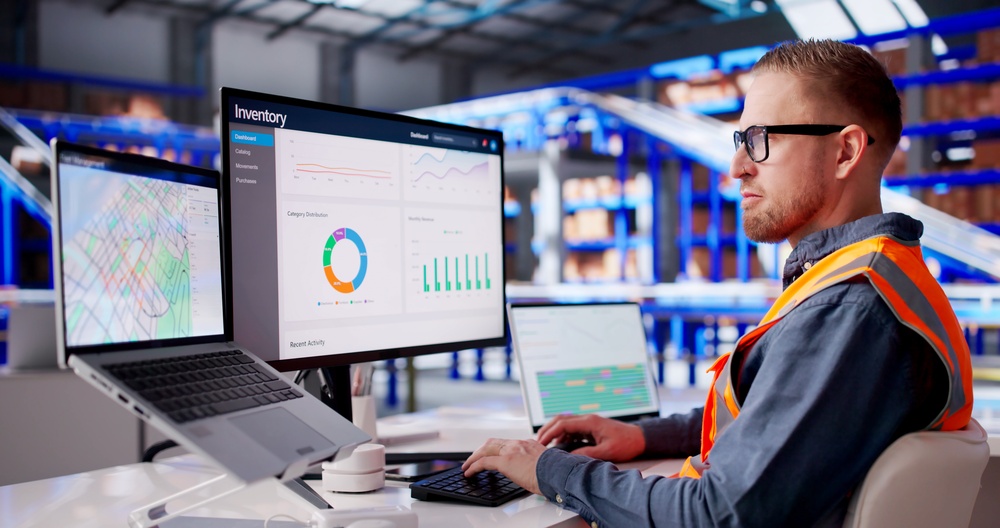
How Connected Systems Increase Your Competitive Advantage

Every business relies on information to operate effectively. Orders must flow from sales to fulfillment. Inventory levels must be visible to purchasing teams. Financial data must be available for reporting and decision-making.

Yet many organizations still struggle with a common challenge: their systems do not communicate efficiently with one another.

When information becomes trapped in disconnected applications, employees often spend valuable time manually transferring data, reconciling records, and correcting errors. These inefficiencies create what many businesses experience as operational friction – the unnecessary effort required to keep processes moving.

As organizations seek to improve efficiency and scalability, connected systems are becoming an increasingly important part of modern business operations.

Understanding Operational Friction

Operational friction occurs whenever work requires more effort than it should.

Common examples include:

  • Entering the same information into multiple systems
  • Exporting and importing spreadsheets
  • Reconciling conflicting data between applications
  • Searching for information across multiple platforms
  • Manually updating records
  • Correcting errors caused by duplicate data entry

While these activities may seem routine, they consume time, slow productivity, and increase the likelihood of mistakes.

Over time, even small inefficiencies can create significant operational challenges.

The Hidden Cost of Disconnected Systems

Many businesses adopt software solutions as needs arise.

A company may implement separate systems for:

  • Accounting
  • Customer Relationship Management (CRM)
  • Inventory management
  • Shipping
  • Payroll
  • eCommerce
  • Business intelligence
  • Customer service

Each solution may perform its individual function effectively. However, when these systems operate independently, employees often become responsible for connecting the dots.

This can lead to:

  • Delayed information sharing
  • Data inconsistencies
  • Duplicate work
  • Increased labor costs
  • Reduced visibility
  • Slower decision-making

In many cases, employees spend more time managing data than acting on it.

Why Connectivity Matters

Connected systems allow information to move automatically between applications, reducing the need for manual intervention.

Rather than maintaining multiple versions of the same information, businesses can establish a more unified flow of data across departments and processes.

This creates several important benefits:

  1. Improved Accuracy

Manual data entry introduces opportunities for human error.

A mistyped quantity, incorrect customer details, or outdated inventory count can create downstream issues that affect multiple departments.

Connected systems help reduce these risks by allowing information to flow directly between applications.

When data is entered once and shared automatically, accuracy improves throughout the organization.

  • Increased Productivity

Employees should spend their time serving customers, analyzing information, solving problems, and supporting business growth.

They should not spend hours re-entering data or reconciling spreadsheets.

Connected systems automate routine information sharing, allowing teams to focus on higher-value activities.

Even small productivity improvements can create significant benefits when multiplied across departments and business processes.

  • Faster Decision-Making

Business leaders rely on accurate, timely information to make informed decisions.

Disconnected systems often create delays because data must be gathered from multiple sources before it can be analyzed.

Connected systems provide more consistent access to information, helping organizations identify trends, monitor performance, and respond more quickly to changing conditions.

In competitive markets, faster decisions often lead to better outcomes.

  • Breaking Down Organizational Bottlenecks

One of the most significant advantages of connected systems is improved collaboration across departments.

When information flows freely throughout the organization:

  • Sales teams have visibility into inventory availability.
  • Purchasing teams can anticipate demand more effectively.
  • Finance teams gain access to timely operational data.
  • Customer service teams can resolve issues more quickly.
  • Executives have a clearer view of business performance.

This shared visibility helps departments work together more effectively toward common goals.

  • Creating a Foundation for Automation

Automation depends on the ability of systems to communicate with one another.

When applications operate in isolation, automation opportunities become limited.

Connected systems enable organizations to automate workflows such as:

  • Order processing
  • Inventory updates
  • Purchasing approvals
  • Shipping notifications
  • Financial reporting
  • Customer communications

These efficiencies help businesses reduce manual workloads while improving consistency and speed.

  • Supporting Growth Without Adding Complexity

As organizations grow, operational complexity tends to increase.

More customers, products, transactions, and locations often require additional systems and processes.

Without connectivity, growth can lead to greater administrative burdens and operational bottlenecks.

Connected systems help organizations scale more efficiently by ensuring information continues flowing smoothly as operations expand.

This reduces the need to add staff simply to manage increasing volumes of data.

  • The Role of ERP in a Connected Business Environment

Modern ERP platforms play a critical role in supporting connected operations.

Rather than functioning as isolated systems, today’s ERP solutions are increasingly designed to serve as the central hub of the business technology ecosystem.

By connecting financials, inventory, purchasing, sales, reporting, and third-party applications, ERP systems help create a unified operational environment where information is accessible, consistent, and actionable.

This connectivity improves efficiency while providing greater visibility across the organization.

  • Reducing Friction Creates Competitive Advantages

Operational friction may not always be visible on a balance sheet, but its impact can be felt throughout the business.

Every manual process, delayed update, duplicate entry, and disconnected workflow consumes valuable time and resources.

Organizations that reduce these inefficiencies often experience:

  • Higher productivity
  • Improved accuracy
  • Faster decision-making
  • Better customer experiences
  • Greater operational agility
  • Increased scalability

Over time, these advantages can contribute directly to business performance and competitiveness.

Looking Ahead

As businesses continue adopting new technologies, connectivity will become increasingly important.

Organizations that rely on disconnected systems may find themselves facing growing inefficiencies, limited visibility, and increasing operational complexity.

By creating a connected technology ecosystem, businesses can streamline processes, improve collaboration, and build a stronger foundation for growth.

In today’s fast-moving business environment, success is not determined solely by the software a company uses. It is increasingly influenced by how effectively those systems work together.

Connected systems reduce operational friction, allowing organizations to operate more efficiently, adapt more quickly, and focus more of their energy on driving business success.

To get started with AccountMate, you need to work closely with experienced ERP consultants who can guide you through the selection and implementation process, ensuring that your ERP system aligns with your business’s immediate needs and long-term vision.

Are you considering a new ERP system? Contact our experts! We have local solution providers who can help you navigate the process. Contact us now or call 707-774-7537 to talk to someone about your specific needs.

What ‘Future-Proofing’ Really Means in ERP

Technology trends come and go. New platforms emerge, business requirements evolve, and innovation continues to reshape how organizations operate.

In the middle of this constant change, one term appears frequently in ERP discussions: future-proofing.

Businesses often hear that they should invest in a “future-proof ERP system,” but what does that actually mean?

Contrary to popular belief, future-proofing is not about predicting the future or selecting technology based solely on the latest trends. Instead, it is about choosing an ERP platform that can adapt, evolve, and support your organization as business needs change over time.

Future-proofing is less about preparing for a specific future and more about preparing for an uncertain one.

Why Future-Proofing Has Become a Business Priority

ERP systems are among the most significant technology investments a business can make.

Unlike many software applications that can be easily replaced, ERP systems become deeply integrated into financial management, inventory control, purchasing, manufacturing, customer service, and reporting processes.

Because ERP platforms often remain in place for many years, organizations must think beyond their current requirements.

The question is no longer:

“Will this ERP system solve today’s challenges?”

The more important question is:

“Will this ERP platform continue supporting our business as it grows and changes?”

This shift in thinking is driving increased interest in future-ready ERP solutions.

Future-Proofing Is Not About Chasing Trends

One of the biggest misconceptions about future-proofing is that businesses must constantly pursue the newest technology.

In reality, adopting technology simply because it is new can create unnecessary complexity and risk.

Future-proofing is not about chasing trends.

It is about choosing a platform with the flexibility to embrace innovation when it delivers real business value.

A future-ready ERP should provide stability today while maintaining the ability to evolve tomorrow.

Organizations need technology that balances reliability with adaptability.

Adaptability Matters More Than Prediction

No business can accurately predict every change that will occur over the next decade.

New regulations may emerge.

Customer expectations may shift.

Supply chains may evolve.

Artificial intelligence may transform business processes in ways that are difficult to anticipate today.

Rather than attempting to forecast every future requirement, businesses should focus on selecting ERP technology that can adapt to changing circumstances.

Future-proof ERP platforms are designed to support:

  • Business growth
  • New operational requirements
  • Emerging technologies
  • Changing market conditions
  • Expanded integration needs
  • Evolving reporting demands

The goal is flexibility, not fortune-telling.

Integration Readiness Is Essential

Modern organizations rely on a growing ecosystem of business applications.

CRM systems, eCommerce platforms, shipping solutions, business intelligence tools, payroll systems, and industry-specific software all contribute to daily operations.

As technology continues to evolve, businesses will likely adopt additional applications that may not even exist today.

Future-proof ERP systems are built with integration in mind.

They enable organizations to connect systems, share data efficiently, and expand capabilities without creating disconnected processes or information silos.

An ERP platform should serve as the foundation of the technology ecosystem – not a barrier to it.

Supporting Automation and Innovation

Automation is becoming a strategic priority for organizations seeking to improve efficiency and reduce manual workloads.

Similarly, technologies such as artificial intelligence, advanced analytics, and real-time business intelligence are creating new opportunities for decision-making and operational improvement.

Future-proof ERP platforms help organizations take advantage of these innovations as they emerge.

The objective is not necessarily to deploy every new technology immediately.

Rather, businesses want confidence that their ERP foundation will support innovation when the time is right.

Scalability for Long-Term Growth

Future-proofing also means ensuring that technology can grow alongside the organization.

A business that operates effectively today may look very different five years from now.

Growth may involve:

  • Additional locations
  • Expanded product lines
  • Increased transaction volumes
  • New business units
  • Acquisitions
  • International operations

ERP systems should be capable of supporting these changes without requiring organizations to replace their core platform every few years.

Scalability protects technology investments and helps reduce future disruption.

Reducing Long-Term Technology Risk

One of the most overlooked aspects of future-proofing is risk reduction.

Technology decisions can either increase or decrease business risk over time.

Organizations evaluating ERP solutions should consider questions such as:

  • Is the platform actively evolving?
  • Does it support modern technology standards?
  • Can it integrate with future applications?
  • Is there a clear roadmap?
  • Will it continue supporting changing business requirements?

Future-proofing helps organizations avoid becoming constrained by technology that struggles to keep pace with business needs.

The Real Goal of Future-Proofing

Ultimately, future-proofing is not about guaranteeing that an ERP system will never need to change.

No technology remains unchanged forever.

Instead, future-proofing is about selecting a platform that can evolve as the business evolves.

It is about creating a technology foundation that supports growth, innovation, adaptability, and long-term success.

The most successful organizations recognize that ERP decisions are not simply software purchases. They are strategic investments in the future of the business.

By prioritizing flexibility, scalability, integration readiness, and continuous innovation, businesses position themselves to respond more effectively to whatever opportunities and challenges the future may bring.

In an era of rapid technological change, future-proofing is no longer optional. It is an essential component of building a resilient, adaptable, and competitive organization.

To get started with AccountMate, you need to work closely with experienced ERP consultants who can guide you through the selection and implementation process, ensuring that your ERP system aligns with your business’s immediate needs and long-term vision.

Are you considering a new ERP system? Contact our experts! We have local solution providers who can help you navigate the process. Contact us now or call 707-774-7537 to talk to someone about your specific needs.