Why Keeping Your ERP System Up to Date Is Critical for Cybersecurity

Enterprise Resource Planning (ERP) systems are the digital backbone of most organizations, integrating core business processes like finance, inventory, supply chain, and customer service. Because these platforms store and process sensitive data, they’re increasingly attractive targets for cybercriminals. Yet many companies delay or ignore ERP updates–unaware that this exposes them to significant cybersecurity risks.

If your ERP software isn’t regularly updated, it’s not just a tech issue–it’s a security liability. Here’s why staying current is essential:

1. Security Patches Close Known Vulnerabilities

Cybercriminals often exploit known vulnerabilities in outdated software. Once a flaw is discovered, ERP vendors typically release patches to fix it–but if your system isn’t updated, you’re left wide open. In fact, many ransomware attacks and data breaches stem from unpatched software vulnerabilities that had fixes available for months (or even years).

Staying on top of ERP updates ensures that critical security flaws are patched quickly, before attackers can exploit them.

2. Compliance and Legal Risks

Regulatory frameworks like GDPR, HIPAA, and CCPA require businesses to take “reasonable steps” to protect customer data. Running an outdated ERP system can be considered negligent in the event of a breach, potentially resulting in lawsuits, fines, or loss of certification.

By keeping your ERP system current, you demonstrate a proactive approach to data protection and compliance–a key point if your company ever comes under legal scrutiny.

3. Modern ERP Updates Include Security Enhancements

ERP vendors don’t just release patches–they also introduce new security features in regular updates. These can include:

  • Multi-factor authentication
  • Improved encryption protocols
  • More granular access controls
  • Advanced audit trails
  • Threat detection

If you’re skipping updates, you’re missing out on the latest defenses your ERP system is capable of providing.

4. Outdated Systems Are Easier to Reverse Engineer

Legacy ERP systems often use outdated libraries, old database engines, or unsupported APIs. Hackers study these outdated components because they’re predictable and often lack modern protections. In contrast, newer versions are harder to penetrate because they’re designed to address evolving cyber threats.

5. Integrated Systems Multiply the Risk

Modern ERPs are deeply integrated with other systems – e-commerce platforms, logistics providers, banks, and CRMs. One weak link, such as an unpatched ERP module, can compromise the entire network. Attackers often enter through a less-secure system and move laterally to access more sensitive data.

Regular updates reinforce your ERP system’s role as a secure node in your wider digital ecosystem.

6. Hackers Are Getting Smarter—and Faster

Sophisticated scanning tools and dark web vulnerability databases mean that hackers can rapidly identify which ERP systems are out of date. Some attackers even use bots to automatically probe for known flaws. In a world where the time between a vulnerability’s discovery and exploitation is shrinking, delays in updating your ERP can be catastrophic.

Delaying ERP updates may save time in the short term, but the long-term risk is far greater. A single breach can disrupt operations, damage your reputation, cost millions in recovery, and expose you to regulatory penalties.

When it comes to protecting your ERP system from security breaches, keeping your software up to date and fully supported is essential. That’s where AccountMate’s maintenance plans come in – not just as a safeguard, but as a strategic investment in the long-term performance and security of your ERP environment.

AccountMate Takes a Personalized, Proactive Approach to Maintenance

Rather than charging by the minute, our “instance-based” model allows for faster response times and more focused, tailored service. This structure ensures that our clients get the help they need without the clock ticking, and our team can focus on delivering high-quality solutions based on deep industry knowledge and best practices.

Our Lifecycle Maintenance plan is the most comprehensive option, offering access to all updates and upgrades, unlimited support for non-System Manager modules, and a free seat in our Core Product Training class. This plan also includes unlimited access for up to five users to our online, self-paced training resources – ideal for businesses looking to stay current and empower their teams.

For those needing a more basic level of support, the Standard Maintenance plan includes updates, discounted upgrades, and one support instance per non-System Manager module, along with online training access for two concurrent users.

We also offer Extended Support Maintenance for those who only need phone support, and All-Source Code Maintenance, which includes updates and requires that all purchased modules (except the System Manager) include source code.

Together, these plans are designed not only to resolve issues quickly but also to help businesses strengthen their ERP environment against evolving security threats. Staying current with updates, patches, and training isn’t just good practice – it’s a critical defense in today’s digital landscape.

If you’re running an ERP system, updates are not optional improvements – they are an essential cybersecurity defense.Security isn’t static – and your ERP system shouldn’t be either.

To get started with AccountMate, you need to work closely with experienced ERP consultants who can guide you through the selection and implementation process, ensuring that your ERP system aligns with your business’s immediate needs and long-term vision. Are you considering a new ERP system? Contact our experts! We have local solution providers who can help you navigate the process. Contact us now or call 707-774-7537 to talk to someone about your specific needs.

Cloud vs. On-Premise ERP: What to Consider When Evaluating Data Security

As businesses research ERP systems, data security is often one of the most critical – and complex – factors in the decision-making process. Whether you’re a manufacturer, distributor, service provider, or nonprofit, your financial and operational data is a core asset. Choosing the right ERP platform isn’t just about features – it’s also about trust, control, and risk.

If you’re evaluating ERP solutions like AccountMate, one of the decisions you’ll need to make is how the system will be deployed: in the cloud or on-premise. Each option comes with distinct security implications. Understanding the trade-offs between them can help you choose the approach that best fits your organization’s needs and capabilities.

On-Premise ERP: Maximum Control, Maximum Responsibility

With an on-premise ERP deployment, you host the system on your own servers and manage the infrastructure internally or through a third-party IT firm. This option often appeals to companies that require full control over their systems – whether for compliance reasons, internal policy, or industry-specific security requirements.

Security strengths of on-premise ERP include:

  • Complete control over physical hardware, firewalls, and network configuration.
  • Customizable security policies that can be adapted to unique business processes.
  • Direct oversight of data storage, access, and backup practices.

However, this level of control comes with significant responsibility. If your internal IT team isn’t equipped to manage cybersecurity risks proactively, you could be exposed to breaches, data loss, or compliance violations.

Risks to consider:

  • Manual patching and updates, which can create vulnerabilities if delayed.
  • Higher risk of downtime or data loss without robust backup and disaster recovery systems.
  • Internal threats or human error from misconfigured access or weak user policies.

Cloud ERP: Shared Responsibility and Built-In Safeguards

Cloud-hosted ERP platforms shift part of the security burden to a third-party provider. With AccountMate’s authorized hosting partner, your ERP system is run on secure infrastructure maintained by professionals with dedicated cybersecurity expertise.

Cloud ERP security advantages:

  • Automatic updates and security patches, reducing the risk of unpatched vulnerabilities.
  • Enterprise-grade firewalls, encryption, and monitoring typically included.
  • Scalable backup and disaster recovery, often with geographic redundancy.

Still, moving to the cloud introduces a different set of considerations. You’ll want to understand how your hosting provider handles data ownership, compliance requirements, and breach response procedures.

Questions to ask when evaluating cloud ERP hosting:

  • Is the hosting provider certified?
  • Where is your data stored – and under what jurisdiction?
  • How are user access and authentication managed?

How AccountMate Fits In

AccountMate offers both cloud-hosted and on-premise ERP deployment options, giving prospective clients the flexibility to choose the model that aligns with their business priorities. Some organizations prioritize control and customization and prefer to host their system on-site. Others favor the scalability, convenience, and hands-off security benefits of a hosted environment.

Whichever path you’re considering, AccountMate emphasizes strong data governance, granular user controls, and compatibility with external security protocols. The platform is built to accommodate the evolving needs of businesses that take data protection seriously.

Making a Security-Smart ERP Decision

The reality is that neither cloud nor on-premise ERP deployment is inherently more secure – each has strengths and vulnerabilities. What matters most is whether the model you choose matches your organization’s risk tolerance, compliance requirements, and internal IT capabilities.

If you’re in the process of evaluating ERP solutions like AccountMate, we encourage you to ask detailed questions about deployment models, security features, and data protection strategies.

To get started with AccountMate, you need to work closely with experienced ERP consultants who can guide you through the selection and implementation process, ensuring that your ERP system aligns with your business’s immediate needs and long-term vision.

Are you considering a new ERP system? Contact our experts! We have local solution providers who can help you navigate the process. Contact us now or call 707-774-7537 to talk to someone about your specific needs.
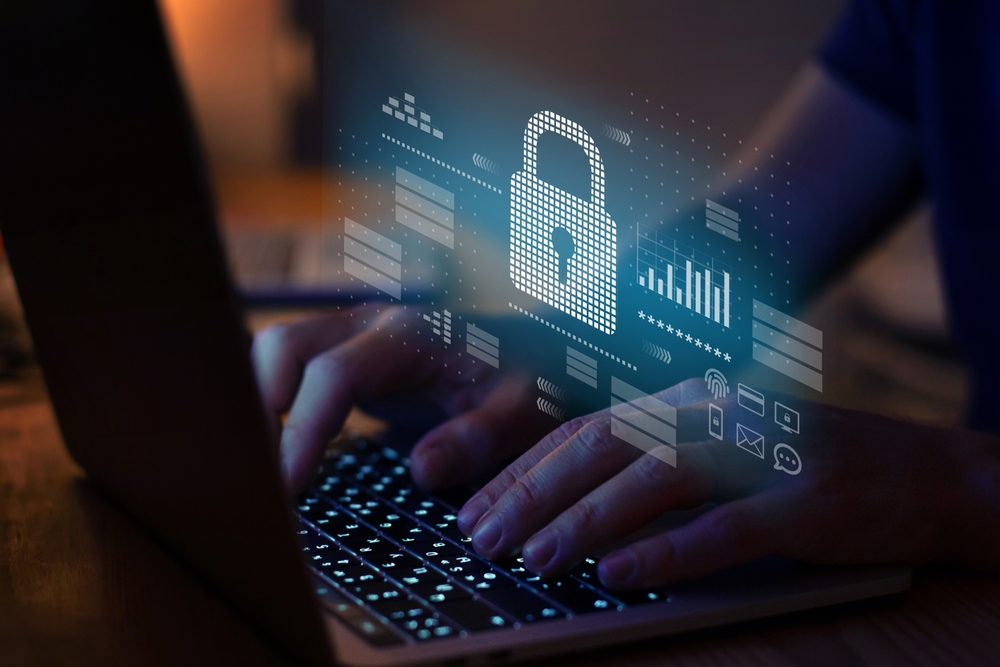
How to Secure Your ERP System Against Internal and External Threats

Securing your ERP system against internal and external threats is crucial for protecting sensitive business data and ensuring operational continuity. Internally, threats can stem from user error, unauthorized access, or disgruntled employees, making role-based permissions, regular audits, and user training essential. Externally, cyberattacks such as phishing, ransomware, and data breaches continue to rise, requiring strong firewalls, data encryption, multi-factor authentication, and up-to-date software patches. A comprehensive security strategy should include continuous monitoring, regular backups, and a clear incident response plan. By proactively securing your ERP system, you safeguard your organization’s financial and operational integrity.

Whether you’re running your ERP software on-premise, in a hosted environment, or in the cloud, the system’s access to financials, inventory, payroll, and customer data makes it a high-value target – for both internal misuse and external cyberattacks.

Here’s how you can protect your ERP system from potential threats:

1. Use Role-Based Access Control (RBAC) Wisely

Why it matters: Not every user needs full access to every module.

Built-in access rights management lets you control who can view, edit, or delete information at a granular level. Use it to restrict access by department, job function, or user. For example, AP clerks shouldn’t be able to modify GL accounts, and warehouse staff shouldn’t view payroll data.

Best practice: Periodically review user permissions, especially after staffing changes or internal audits.

2. Enforce Strong Authentication Policies

Why it matters: Weak credentials are one of the most common entry points for attackers.

Allowing administrators to enforce strong password rules like multi factor authentication (MFA) – take full advantage of this. Require strong passwords and change them regularly, especially if you’re using a remote desktop or cloud-hosted version of your ERP software.

3. Monitor and Audit User Activity

Why it matters: Internal misuse often goes unnoticed without proper oversight.

Your ERP software should log key system activities like logins, transaction entries, and system modifications. Regularly audit these logs to detect anomalies – like after-hours data exports, unauthorized voids, or configuration changes.

4. Keep Your Software Updated

Why it matters: Security vulnerabilities in ERP systems and databases are often exploited when patches are delayed.

Stay current with service packs and updates. Your ERP provider should periodically release versions and service packs that contain enhancements and fixes.Also ensure your Microsoft SQL Server operating systems receive regular security patches. Outdated database engines and servers can expose your ERP to risks.

Pro tip: Test patches in a development environment before applying them to live systems to avoid disruption.

5. Train Employees on ERP and Cybersecurity Awareness

Why it matters: Most breaches result from user error, not technical failure.

Educate your users on how to avoid phishing emails, create secure passwords, and recognize suspicious activity. Train employees to follow internal procedures for approvals and data entry to prevent fraud or errors.

6. Maintain Regular Backups and a Recovery Plan

Why it matters: If disaster strikes, your ability to recover is everything.

Work with your provider or IT team to ensure your ERP data is backed up daily, encrypted, and stored securely – ideally off-site or in the cloud. Regularly test your ability to restore data from backups, not just whether the files exist.

7. Conduct Periodic Security Reviews

Why it matters: ERP environments evolve – so should your security posture.

Regularly assess risks, review access logs, validate that permissions are up to date, and test your incident response plan. If you’ve heavily customized your ERP system, involve your solution provider in the review to ensure no vulnerabilities were introduced through code.

AccountMate ERP Offers Powerful Security

AccountMate’s strength lies in its flexibility and control – but with great control comes great responsibility. Securing your ERP system isn’t a one-time task; it’s an ongoing process that blends software, people, and policy. Some specific key features are that AccountMate logs key system activities through Track User Access and Audit Trail features. If you’re using customizations, you can ask your AccountMate Solution Provider to build alerts for suspicious activity into your workflow. By proactively securing your AccountMate ERP environment, you protect your business operations, your financial data, and your reputation.

To get started with AccountMate, you need to work closely with experienced ERP consultants who can guide you through the selection and implementation process, ensuring that your ERP system aligns with your business’s immediate needs and long-term vision.

Are you considering a new ERP system? Contact our experts! We have local solution providers who can help you navigate the process. Contact us now or call 707-774-7537 to talk to someone about your specific needs.